
Run a live quiz with your class in two minutes
Put a code on the board. Students join from their phones — no app, no accounts, no cost. You see every answer as it comes in.
Free to join · No credit card required
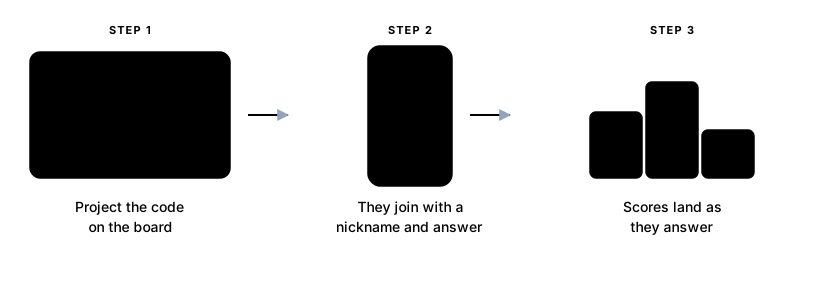
How a lesson actually goes
- Step 1
Pick or build a room
Use something from Explore, or write your own questions — multiple choice, true/false, fill in the gap, matching and ordering. Up to 20 questions in a live game.
- Step 2
Put the code on the board
Starting a game gives you a join code and a QR code. Project it. That is the whole setup — nothing to install and nothing to hand out.
- Step 3
Students join and play
Up to 30 students join from any phone or laptop with just a nickname. No account, no email address, no app download.
Built for testing what they actually learned

Six question types
Multiple choice, multi-select, true/false, fill in the gap, matching pairs and put-in-order — so a test can check more than recognition.
See who struggled, and where
Every attempt is recorded per question, so you can see which question the room got wrong rather than only who scored what.
Study material on the question
Attach an explanation, a diagram or a video to any question, so a quiz doubles as revision instead of only a score.
Questions teachers ask
- Do my students need accounts?
- No. They open the join page, type the code from your screen and pick a nickname. Nothing else is asked of them, and no email address is collected.
- How much does it cost?
- Hosting live games and building rooms are free. There is a premium tier for heavier use, but nothing on this page requires it.
- How many students can join one game?
- Up to 30 players in a single live session, with up to 20 questions per game.
- Can I reuse a quiz with another class?
- Yes. A room is permanent — host it as many times as you like, and each game keeps its own results.
- Can students revise on their own afterwards?
- Yes. The same room can be played individually at any time, with study material on the questions and a review step covering the ones they got wrong.
- What subjects does it work for?
- Anything that can be asked as a question. Rooms are tagged by subject and language, so a language class and a chemistry class use the same tool.
Your next lesson could end with a game
Make a free account, build one room, and put the code on the board.
Get started free